
Enable Online Fix
This should be simple just follow along, read if you aren’t dumb.
You need to do this otherwise you cannot connect to the server.
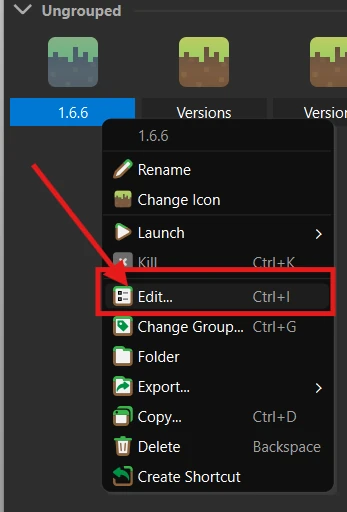
Step 1: Edit your instance
Right click on your instance and edit.
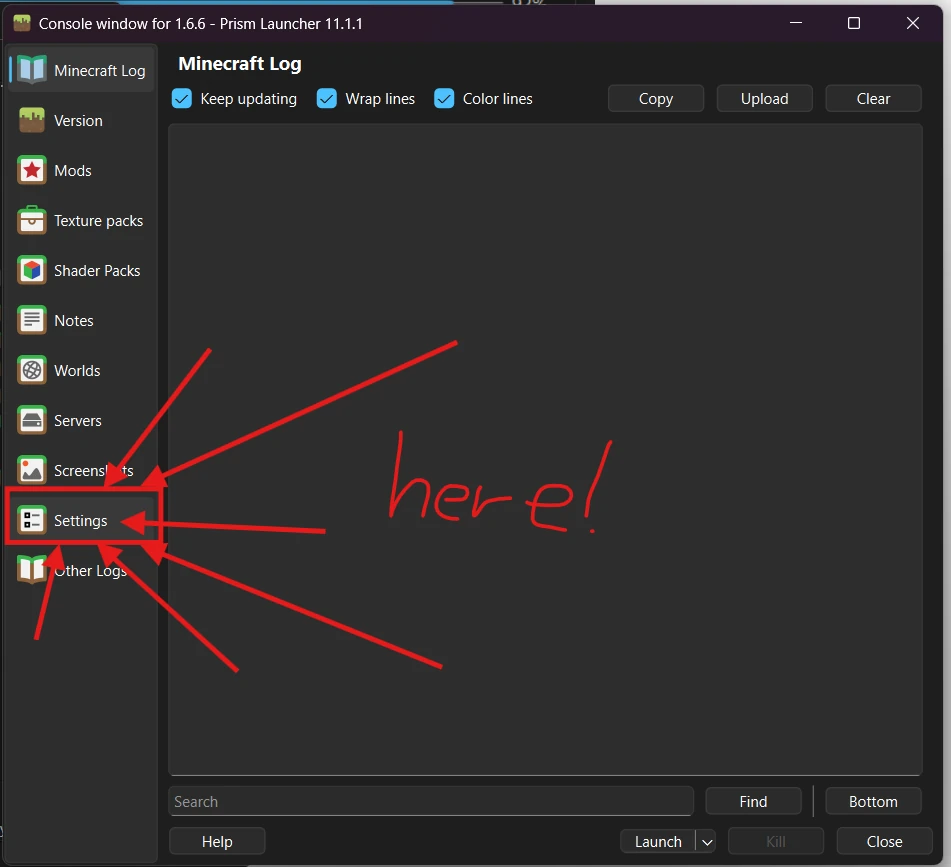
Step 2: Open Settings
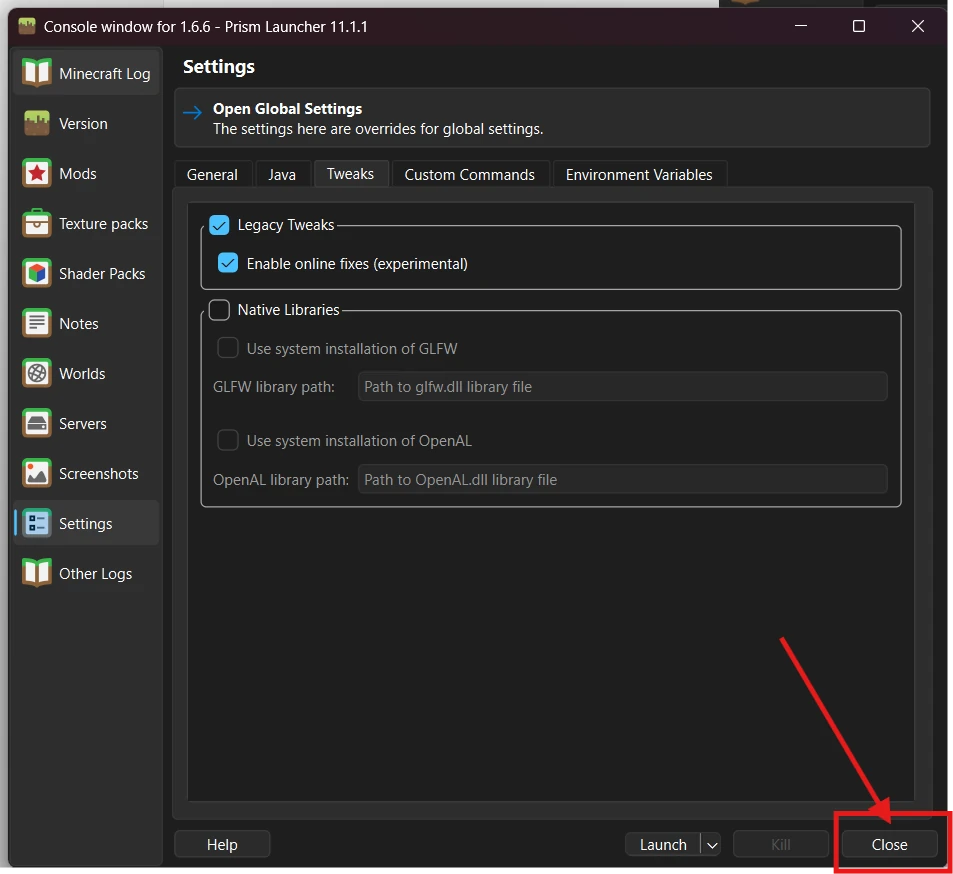
Now click on Settings.
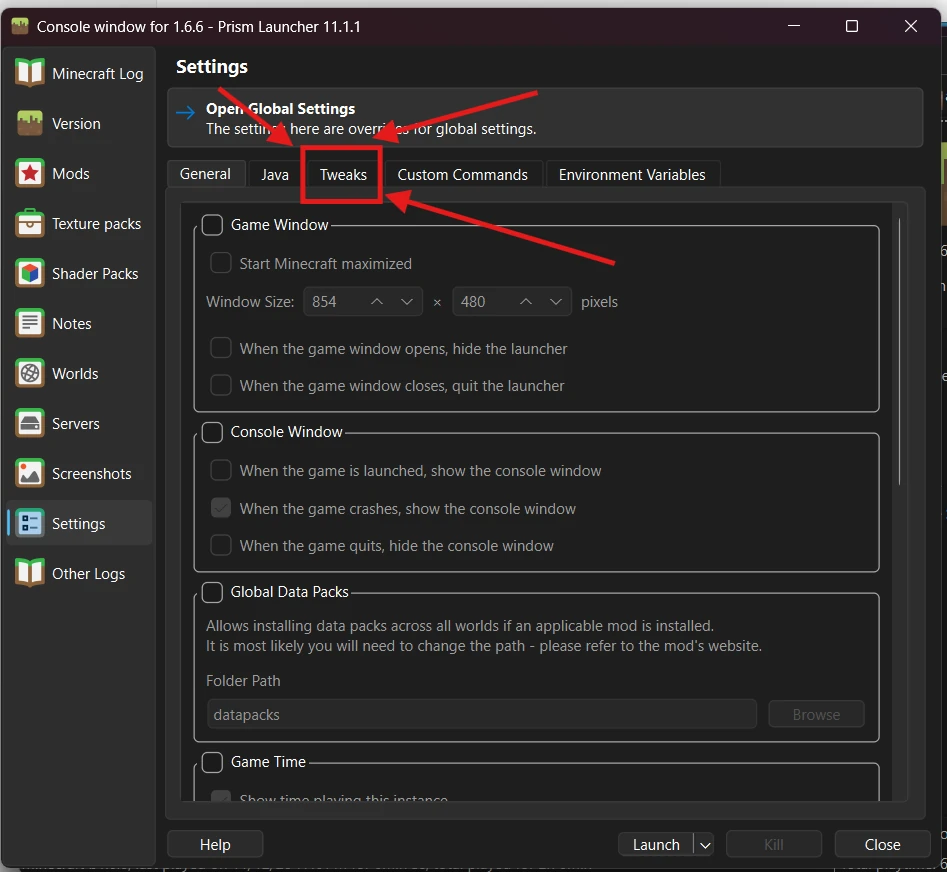
Step 3: Open Tweaks
Once in settings click Tweaks.
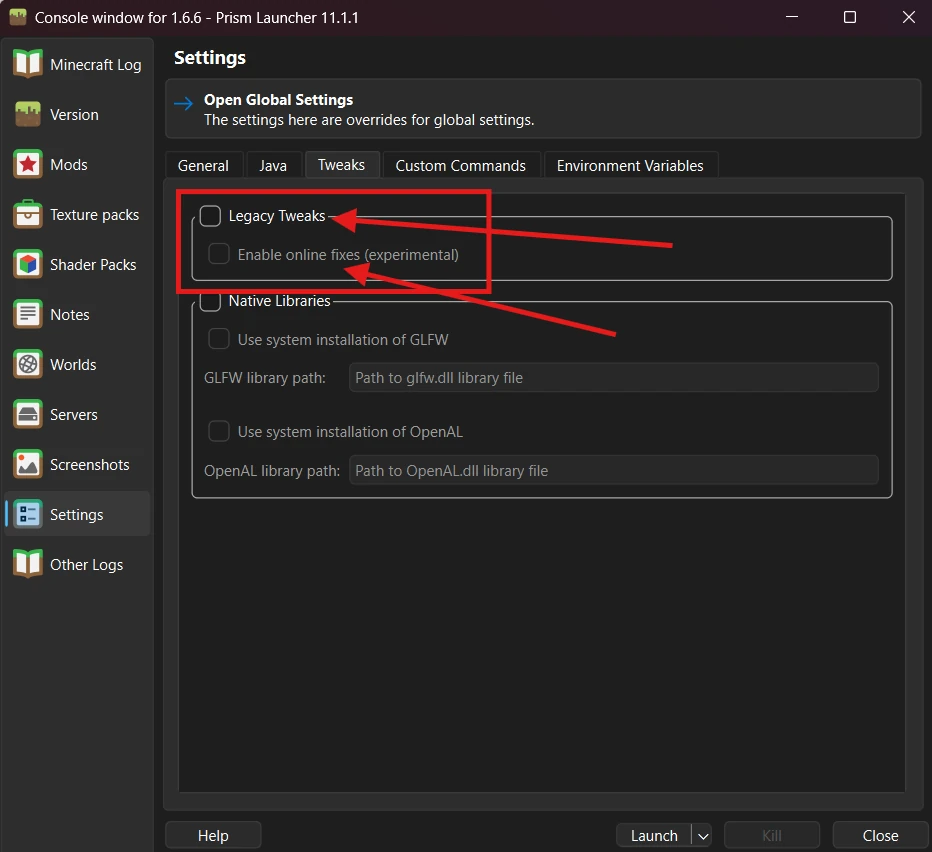
Step 4: Turn on the tweaks
Enable Legacy Tweaks and Enable online fixes (experimental).
Step 5: Close the window
Once done click Close.
Now launch the game by double clicking the instance and you should be able to play online now.
Looking for something else?
All guides
All guides