
Upgrade Version Guide
This should be simple if you have basic literacy skills. The server is on b1.7.3 right now.
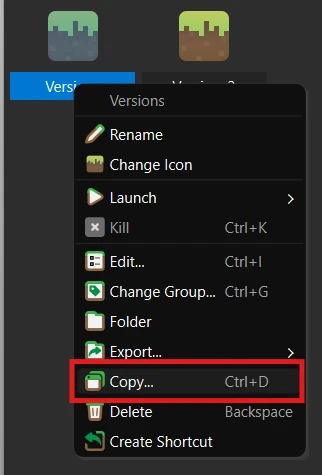
Step 1: Copy your instance
Right click on your instance and click copy.
Step 2: Name the copy
This will pop up, change the name to the new version (b1.7.3).
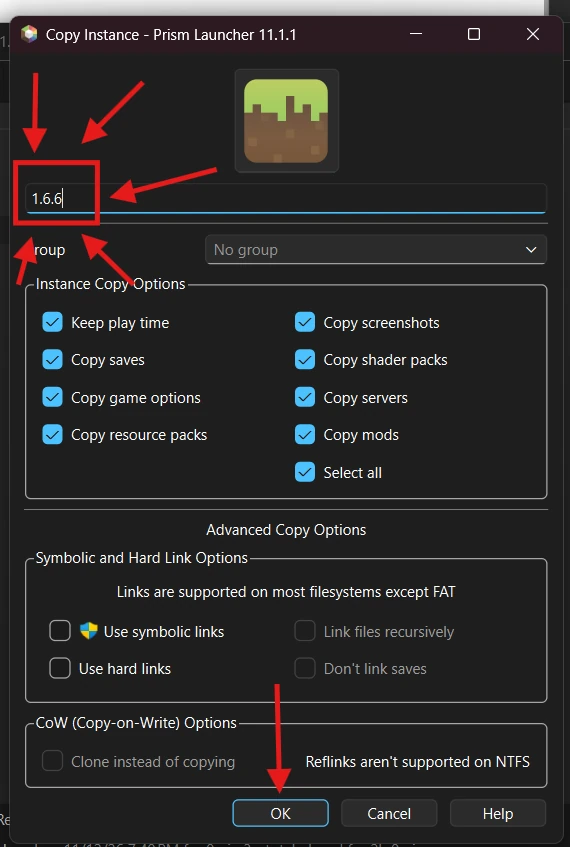
Then click OK.
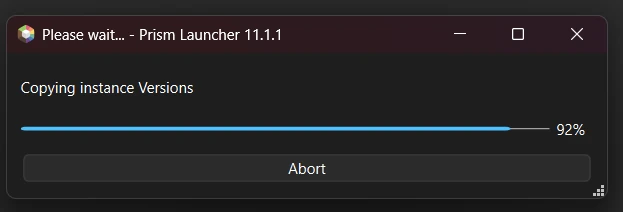
Step 3: Wait for the copy
Wait for this to finish (don’t open insta pls).
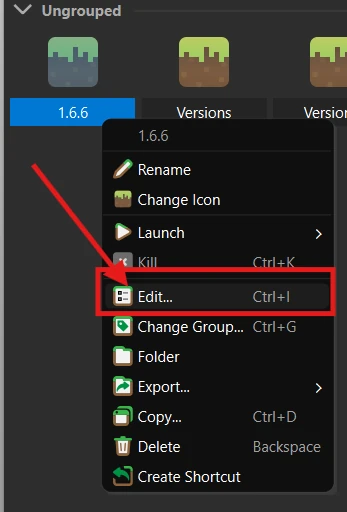
Step 4: Edit the copy
Once it’s copied right click it and click edit.
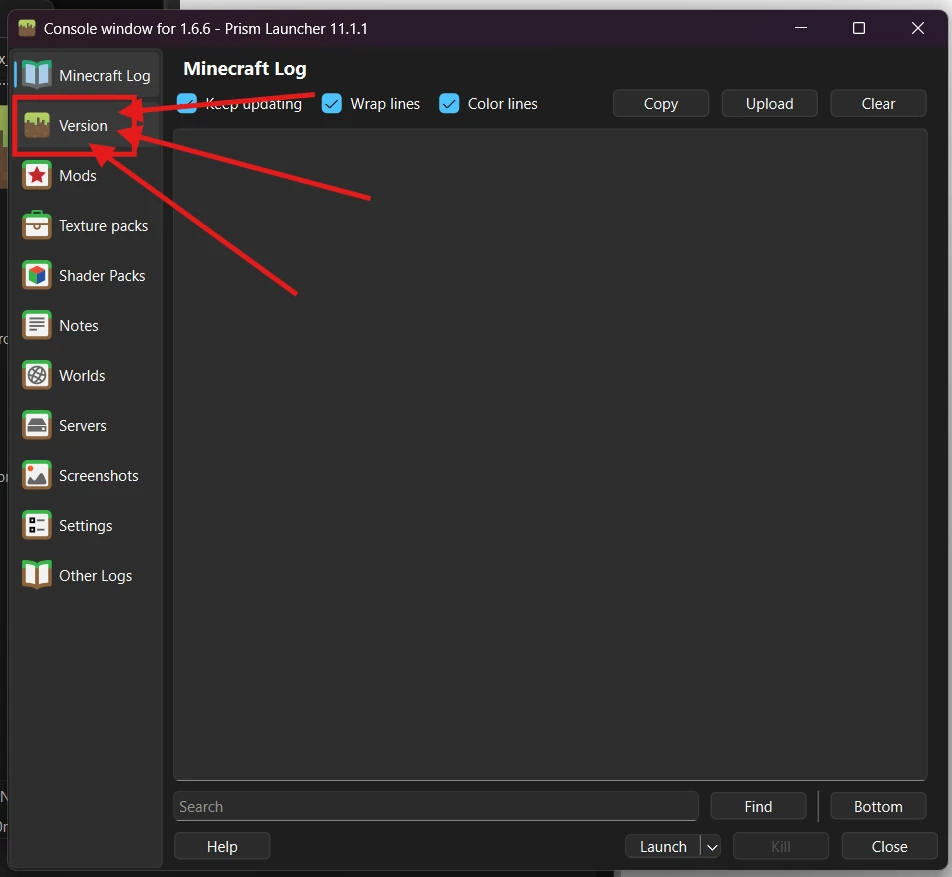
Step 5: Open Version
Click on Version.
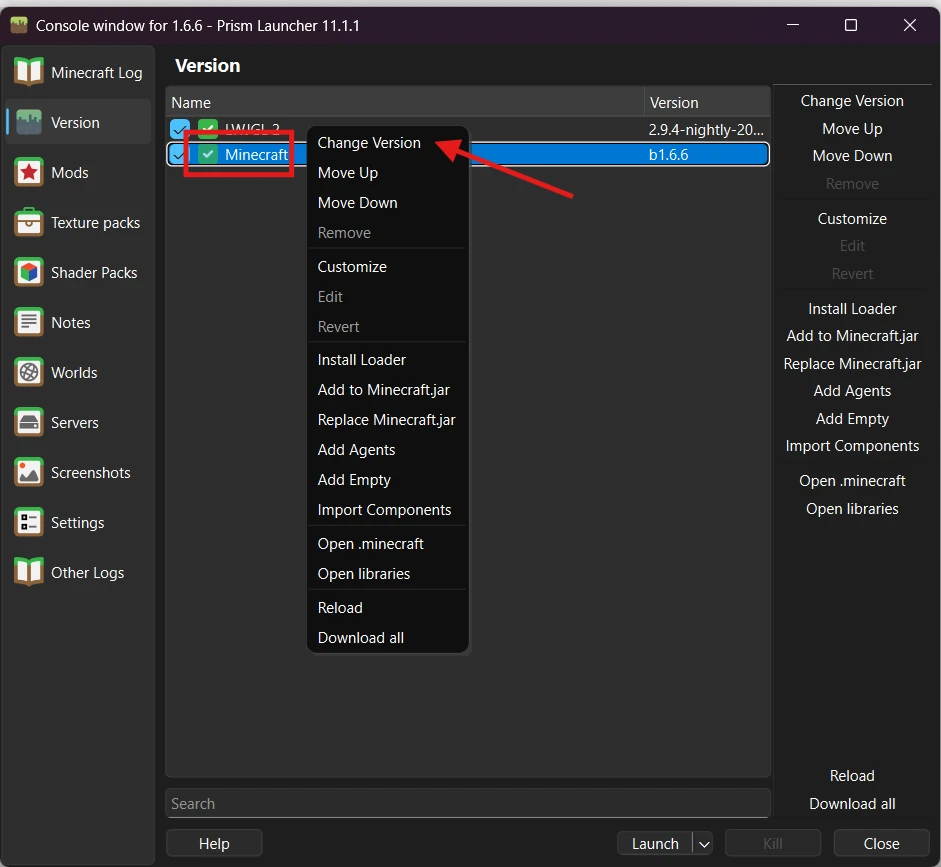
Step 6: Change Version
In the versions tab, look for the thing called “Minecraft”, right click it, then click “Change Version”.
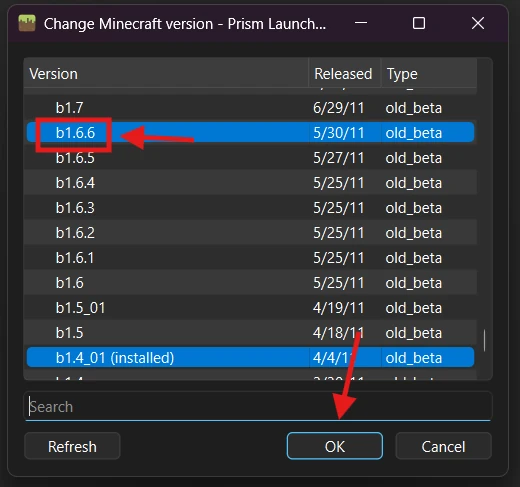
Step 7: Pick the version
Scroll up until you find b1.7.3 and double click it. If the window doesn’t close after double clicking, click OK.
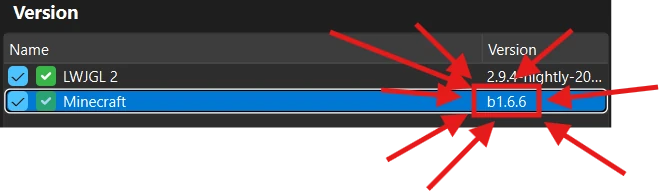
Step 8: Check it worked
If you did this right it should show the version you double clicked on.
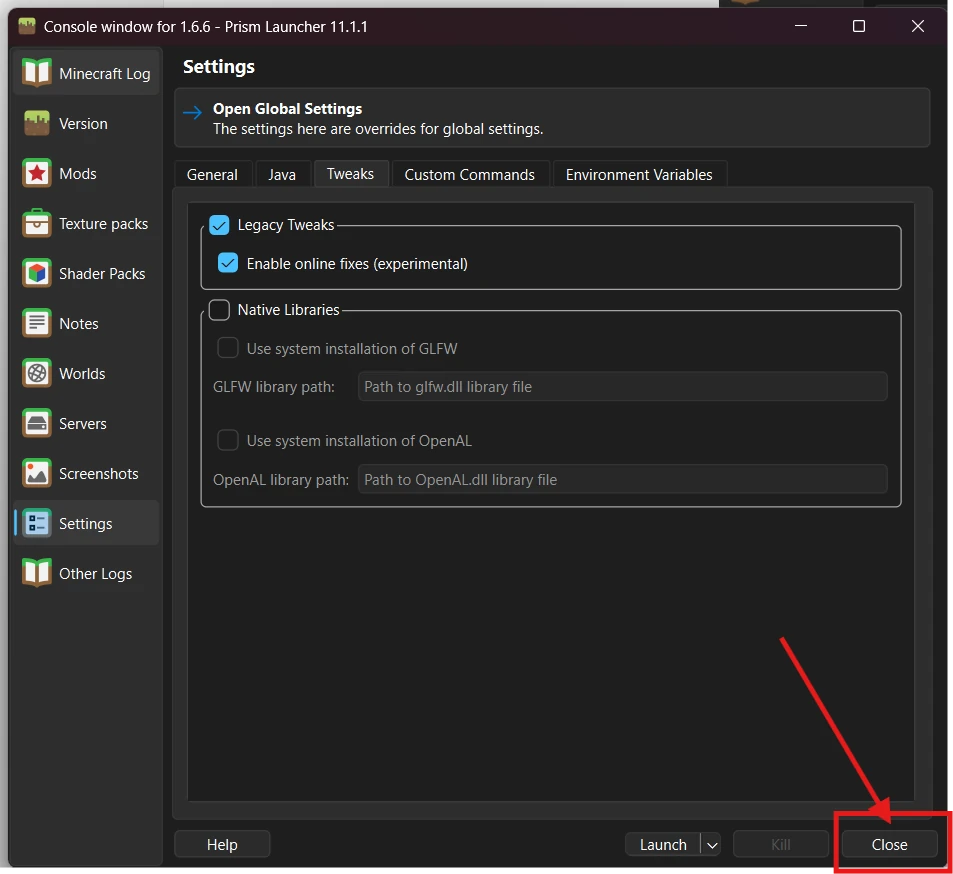
Step 9: Close the window
Once done click Close.
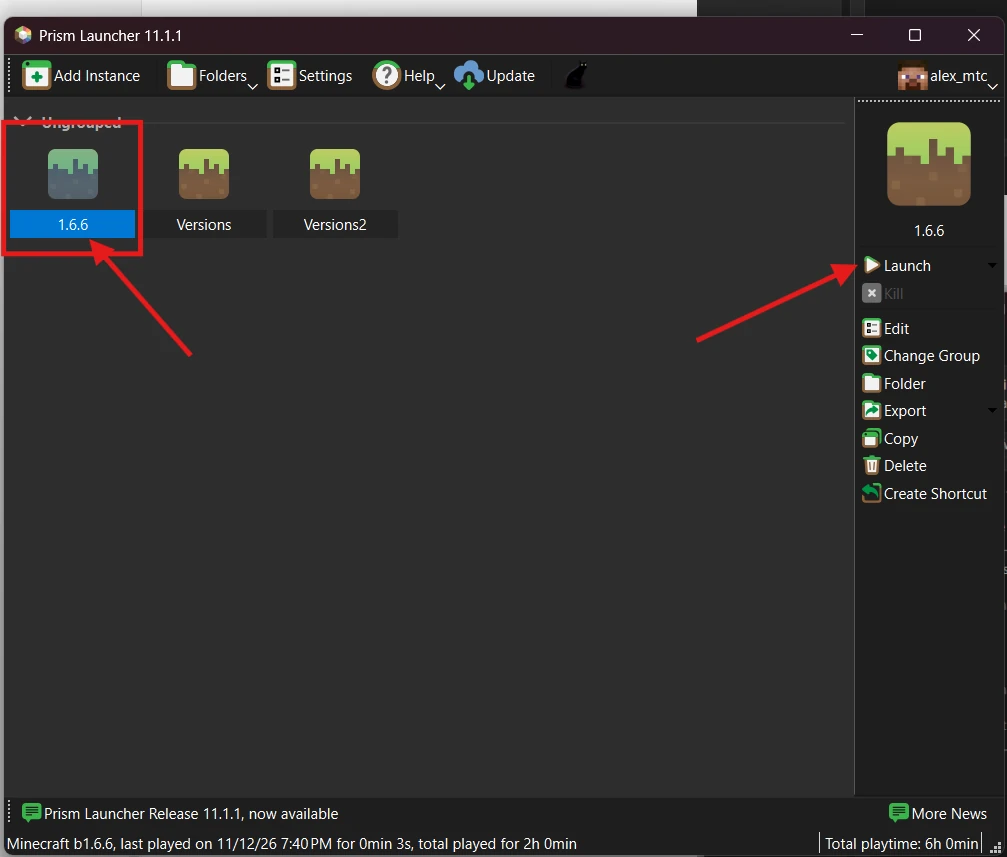
Step 10: Launch
Now you can launch the game by double clicking the instance or clicking Launch.
That’s it. See you on the server. Back to top
Looking for something else?
All guides
All guides